
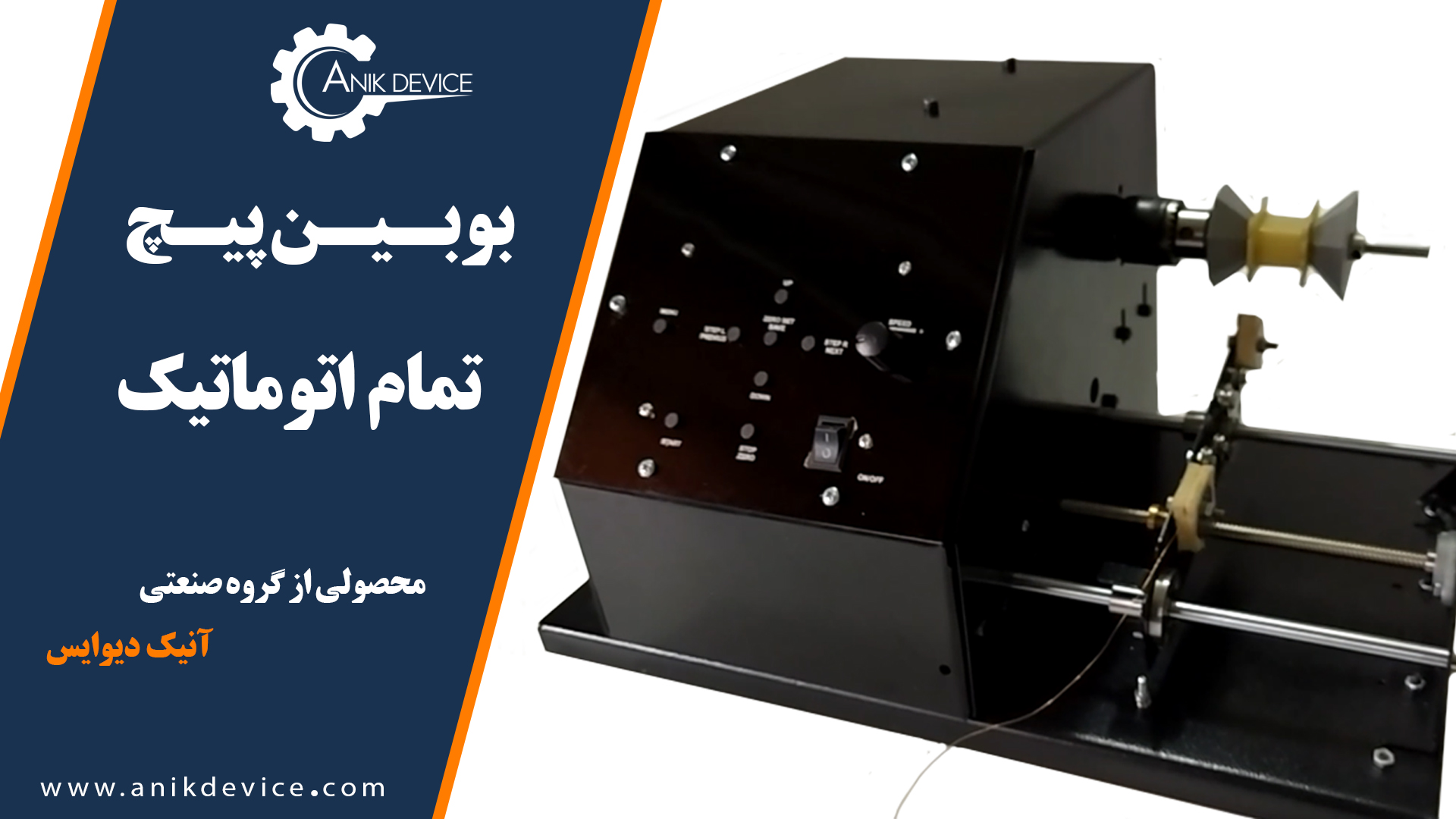
Automatic Coil Winder
650.00 $ 599.00 $
An Iranian machine, fully automatic and more cost-effective in all aspects
Anik’s Automatic Coil Winder machine has 20 memories that can be set for different spools with different wire diameter. The machine, starts winding just by selecting the program and installing the spool related to the same program.
To start adjusting the settings, we first measure the length of the part of the reel that needs to be wound, as well as the diameter of the lacquered wire, and then we adjust the settings through the menu button.
The parameter P.D is for the length of the spool.
Automatic Coil Winder
An Iranian machine, fully automatic and more cost-effective in all aspects
Anik‘s automatic bobbin winder machine has 20 memories. It can be set for different spool sizes with different wire diameters. The machine, starts winding just by selecting the program and installing the spool related to the same program.
To start adjusting the settings, we first measure the length of the part of the reel that needs to be wound, as well as the diameter of the lacquered wire, and then we adjust the settings through the menu button.
The parameter P.D is for the length of the spool.
Automatic Coil Winder is designed and developed by Anik Device Industrial Group. It is used in the production of switch mode transformers and traditional transformers, winding various types of magnets, gas stove transformers, and the production of speaker (voice coils) windings. Moreover, the advantages include:
- High accuracy (up to thousandths of a millimeter)
- Simple operating system
- Easy and precise adjustment
- High memory capacity
- Very reasonable prices
- Occupying very little space
- Soft starting motor, which prevents the wire from breaking
An important parameter of this device is the ability to define and configure up to 55 programs. Therefore, you can easily program the device according to your needs, and once you select one of the programs, you will see the coil parameters already set and you can start the winding process.
To simplify operation and increase production speed, the designers of the machine from the very beginning of third program provided stopping points at the beginning and end of the roll. From the third program onward, all four parameters can be programmed individually by user.
This unique device can also be purchased directly from the manufacturer, without any intermediaries.
Setting up the screw bobbin machine
Spool settings, wire diameter and number of turns:
This device has 55 memories and can be adjusted for different coils with different numbers of rounds and different wire diameters.
Users can then select a program and start winding by simply attaching a spool linked to the same program.
First, measure the length of the part where the coil will be wound and the diameter of the lacquered wire, and then enter the settings through the menu button.
The parameter P.D: Is the length of the spool, which is the part of the spool that is wound.
TRN1: Number of turns to be wound
-
W.D diameter of lacquered wire
In the menu area, select a program using the NEXT and PREVIUS buttons, and press each button to display the setting program.
Use the DOWN (Decrease Parameter) and UP (Increase Parameter) buttons to adjust the value of each parameter.
Holding each of these buttons increases or decreases the speed at which the numbers increase or decrease.
Then select the desired program and set the relevant parameters to save.
Then press the SAVE button to exit the menu.
-
Define the starting point
Each program has a different starting point.
To define the starting point (zero), use STEP-R to move the organizer to the right and STEP-L to move the organizer to the left; the point where the wire intersects the starting edge of the wire.
It is set precisely in tangent mode and the starting point is saved by pressing and holding the ZERO SET button for 3 seconds at the end.
Note that your device will emit a short beep while saving.
To define the starting point for each program, you must select the desired program using the up and down buttons and set its starting point by following the steps above.
-
After making sure about your settings, do the following:
- First, select the desired program.
- If the organizer is not at the starting point, press the STOP button for 3 seconds to return to that point.
- Set the speed volume to the lowest value.
- Pass the magnet wire through the designated area and bring it to the foot of the coil or the area where the wire will be wrapped and fasten it.
-
Important points for product health:
While testing your settings, it’s recommended to wind at a slow speed, as errors in your settings can be easily detected and corrected.
You can pause the process by pressing the STOP button.
Although the wrapping machine is stopped, both the organizer location and the number of wrapping rounds are stored in the machine’s memory.
If you want to continue wrapping, press the “Start” button.
If you want to change the settings, open the menu, change the values and save.
If you want to reset the elevator value to zero and move the controller to the starting point, press and hold the STOP button for one second.
In the end, compared with similar foreign machines, this Automatic bobbin windermachine is of good quality and the price is almost half of the foreign ones.
You can consult our sales team before any deals, and to get more information on how to use this device, please visit the device Aparat channel.
Reviews
There are no reviews yet.